
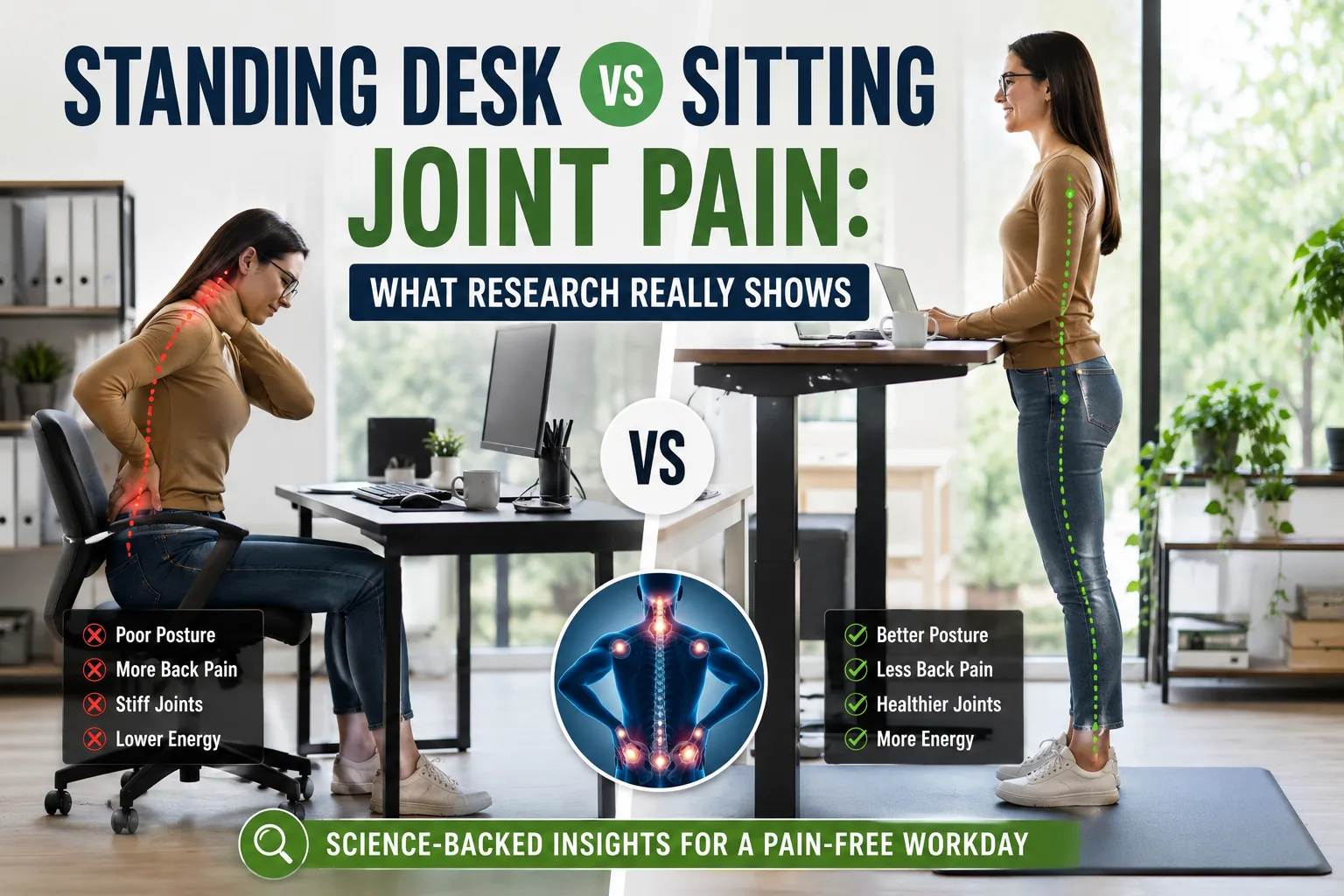
If your lower back feels stiff after a long shift or your knees ache worse than your inbox on a Monday morning, you are not alone. Millions of desk-bound professionals face this daily dilemma, leading to a fiery debate: Can a standing desk solve your joint pain, or is traditional sitting actually safer for your body?
The short answer? Neither option is a silver bullet. Your musculoskeletal system was built for dynamic movement, not for holding any single posture for eight consecutive hours.

Dr. Preet Pal SB, MD
Physician specializing in diabetes, metabolic health, and joint care management. Read More About Dr. Preet Pal’s Medical Credentials & Editorial Integrity Here
Table of Contents
Why Sitting for Long Hours Causes Back and Joint Problems
Human bodies did not evolve to stay frozen in office chairs for eight or ten hours daily. Long periods of sitting reduce muscle activity, tighten hip flexors, and place pressure on the lower spine.
Researchers from the Mayo Clinic explain that prolonged sitting increases stress on spinal discs and weakens core muscles over time. Poor sitting posture also affects neck alignment, shoulder tension, and joint mobility.
Many office workers lean forward while typing, crane their neck toward screens, or slump into chairs after a few hours. That combination often creates what physical therapists call “desk posture syndrome.”
The result can include:
- Lower back stiffness
- Neck and shoulder pain
- Hip tightness
- Knee discomfort
- Wrist strain
- Reduced circulation
A poor desk setup joint pain issue usually develops slowly. People rarely wake up one morning with severe posture problems. Instead, pain builds gradually from repeated habits.
Research published in the journal Occupational and Environmental Medicine found that prolonged sedentary behavior strongly relates to musculoskeletal discomfort, especially in the lower back and neck.
Your body likes motion. Sitting removes much of that natural movement.
Does a Standing Desk Help Back Pain?
The short answer is yes, but only when used correctly.
Several studies suggest that standing desks may reduce discomfort in the lower back and shoulders. Researchers from the Centers for Disease Control and Prevention studied workers using sit stand desks and found a significant reduction in upper back and neck pain after several weeks.
The keyword here is “sit stand.”
A standing desk back pain benefit usually appears when users alternate positions throughout the day. Standing for short periods activates muscles, improves posture awareness, and reduces continuous pressure on the spine.
However, standing nonstop creates its own issues.
People who stand too long may develop:
- Foot pain
- Knee strain
- Leg fatigue
- Lower back pressure
- Swollen ankles
Your body does not enjoy extremes. Think of posture like your favorite playlist. Repeating one song for eight hours eventually becomes unbearable.
Experts from Harvard Health recommend changing positions regularly instead of staying seated or standing continuously. Movement appears more important than the actual position itself.
Standing Desk vs. Sitting Joint Pain: The Biological Reality
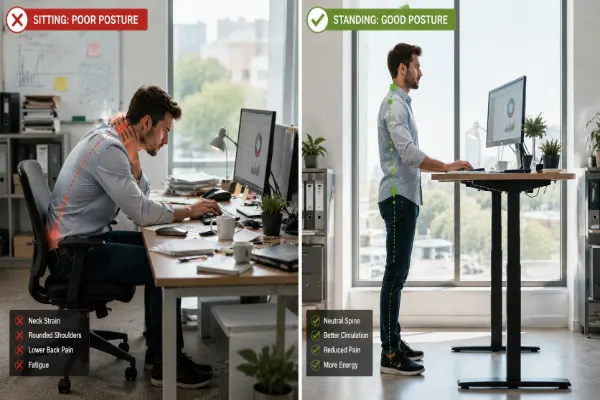
To understand why your joints hurt at work, it helps to look at how your body handles physical stress.
Think of your spinal discs and joint cartilage like the shock absorbers on a car. When you sit in a slumped position for hours, those shock absorbers are compressed on one side and stretched on the other—like keeping a rubber band pulled taut all day. Over time, that constant, one-sided pressure degrades the tissue’s resilience.
Conversely, standing continuously without breaks forces your lower extremities to lock down. Without movement, blood pooling in the legs increases fatigue, and the lumbar spine bears relentless vertical loading.
Research from the Centers for Disease Control and Prevention (CDC) shows that alternating postures reduces upper back and neck discomfort significantly better than sticking to one position all day.
Comparison Table: Sitting vs. Standing vs. Sit-Stand Routine
| Metric / Parameter | Prolonged Sitting | Prolonged Standing | Alternating Sit-Stand Routine |
|---|---|---|---|
| Spinal Pressure | High (increased lumbar disc compression) | Moderate (decreased lumbar flexion) | Low-to-Moderate (balanced distribution) |
| Lower Extremity Fatigue | Low (leg muscles rest) | High (feet, calves, and knees strain) | Managed (prevents muscular overload) |
| Circulation & Blood Flow | Poor (venous pooling in legs) | Fair (calf muscle pump partially active) | Optimal (regular muscle contractions) |
| Calorie Expenditure | Baseline resting rate | Slightly elevated (+10 to 20 kcal/hour) | Consistent gentle metabolic boost |
How Poor Posture Affects Joint Health
Posture influences almost every joint in the body.
When your head leans forward while working, your neck supports extra weight. According to the Cleveland Clinic, every inch of forward head posture increases strain on cervical spine muscles.
Poor posture joint health problems often spread through connected muscle groups. A slouched upper back changes shoulder mechanics. Tight hips alter knee alignment. Weak core muscles force the lower back to compensate.
This chain reaction explains why desk workers sometimes experience pain in multiple areas at once.
Bad posture may contribute to:
- Spinal compression
- Shoulder impingement
- Hip tightness
- Knee stress
- Wrist inflammation
Ergonomic joint health depends on alignment and movement. Your joints perform best when muscles share the workload evenly.
Think of posture like stacking blocks. When alignment shifts, pressure spreads unevenly through the structure.
Poor desk posture can also trigger muscle tension and stiffness in the upper spine. Many office workers experience discomfort similar to Upper Back Pain Between Shoulder Blades: Causes, Symptoms & Quick Relief after long hours at a desk.
Standing Desk Back Pain: Common Mistakes People Make
Many users expect instant relief after switching to standing desks. Unfortunately, poor setup habits can create new pain instead.
One major mistake involves standing too long during the first week. Your muscles need time to adapt. Standing all day immediately often overwhelms the feet, calves, and lower back.
Another common issue involves incorrect screen height.
Your monitor should sit at eye level. If it sits too low, your neck bends forward constantly. That posture increases upper back strain and shoulder tension.
Keyboard placement matters too. Wrists should remain neutral while typing. Elbows should stay close to a 90 degree angle.
Footwear also plays a surprisingly large role. Standing barefoot on hard flooring for hours may worsen joint stress. Supportive shoes or anti fatigue mats can reduce pressure on knees and ankles.
Finally, many people forget to move.
A standing desk should encourage movement, not create statue mode.
The Best Sitting Position for Ergonomic Joint Health
Good sitting posture does not mean sitting rigidly like a robot during a corporate training video.
Instead, your body should feel supported and relaxed.
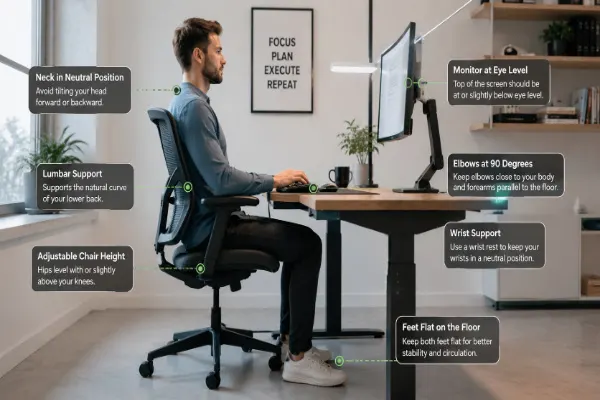
Experts from the Occupational Safety and Health Administration recommend:
- Feet flat on the floor
- Knees near hip level
- Lower back supported
- Shoulders relaxed
- Monitor at eye height
- Wrists straight while typing
Small adjustments often make a huge difference.
For example, raising a monitor by a few inches can reduce neck tension significantly. Adding lumbar support may relieve lower back stress during long work sessions.
Ergonomic joint health improves when your workstation supports natural alignment rather than forcing awkward positions.
Why Sitting for Long Hours Triggers Back and Joint Problems
Human anatomy never evolved to accommodate office chairs. When you sit for prolonged periods, your hip flexors shorten, your gluteal muscles deactivate, and your spinal alignment collapses.
This creates a domino effect known clinically as “desk posture syndrome.” The primary drivers of joint pain during sitting include:
- Posterior Pelvic Tilt: Slumping flattens the natural curve of your lower back, straining the ligaments.
- Forward Head Posture: Straining to see a screen forces your cervical spine to support an exponentially heavier head load.
- Muscular Deconditioning: Inactive core muscles force your spinal joints to bear your body weight entirely on their own.
Building healthy daily routines can dramatically offset these sedentary hazards. For practical guidance, read our comprehensive resource on essential daily joint health habits.
Can Standing Burn More Calories Than Sitting?
Yes, but not dramatically.
Standing burns slightly more calories than sitting because muscles remain more active. Research from the European Journal of Preventive Cardiology found that standing may burn roughly 6 to 10 additional calories per hour compared to sitting.
That means standing alone will not replace exercise or magically transform fitness levels.
However, standing may improve energy levels and reduce sedentary time, which benefits overall health.
The real advantage comes from movement throughout the day. Walking during breaks, stretching regularly, and changing positions matter far more than simply standing still.
Desk Setup Joint Pain: How to Build a Better Workspace
A proper desk setup joint pain solution does not require turning your office into a futuristic tech lab.
Simple ergonomic adjustments often provide meaningful relief.
Start with your chair. Your lower back should feel supported. Your thighs should remain parallel to the floor.
Next, position your monitor directly in front of you. Avoid twisting your neck repeatedly.
Lighting also matters. Poor lighting encourages people to lean toward screens, increasing neck strain.
Keyboard and mouse placement should allow relaxed shoulders and neutral wrists.
If you use a standing desk, keep elbows slightly bent and shoulders loose while typing.
The American Physical Therapy Association recommends regular movement breaks every 30 minutes. Even short walks or stretches help reduce stiffness.
Your workspace should support natural posture instead of forcing compensation patterns.
Standing is Easier on the Back Than Sitting—Under the Right Conditions
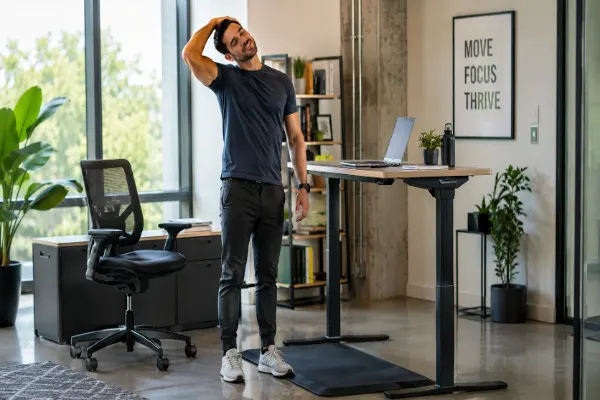
One of the most common claims in modern ergonomics is that standing is easier on the back than sitting. From a purely biomechanical standpoint, this statement is partially true. Standing keeps your spine in a more neutral alignment, preventing the excessive lumbar flexion (slumping) that ruins chairs.
However, substituting eight hours of sitting with eight hours of standing invites a brand-new set of problems:
- Plantar Fasciitis & Foot Fatigue: Hard office floors cause micro-trauma to the arches of your feet.
- Knee Joint Strain: Locked knees reduce micro-movements, starving joint cartilage of lubricating synovial fluid.
- Varicose Veins & Swelling: Gravity pulls blood downward, straining vein valves over time.
Dr. Preet Pal’s Clinical Perspective
“In my clinical practice, patients often replace an all-day sitting routine with an all-day standing routine, only to walk into my office three weeks later complaining of severe knee and hip pain. Your joints thrive on dynamic variety. Think of a standing desk as a mobility tool, not an endurance test. If you aren’t moving, changing your elevation won’t save your joints.”
How Often Should You Alternate Between Sitting and Standing?
Most ergonomic experts recommend changing positions every 30 to 60 minutes.
This schedule prevents stiffness while reducing fatigue.
You do not need military level precision. Your body already provides warning signals.
If your lower back feels tight, stand up. If your feet feel tired, sit down. If your shoulders tense up, stretch briefly.
Movement resets muscle tension and improves circulation.
A simple routine might include:
- Sit for 30 minutes
- Stand for 20 minutes
- Walk for 5 minutes
- Stretch briefly
That approach supports posture joint health without overwhelming the body.
The Mental Benefits of Reducing Sedentary Time
Interestingly, standing desks may help more than physical comfort.
Some research suggests that reducing sedentary behavior improves focus, mood, and energy levels. Workers who move regularly often report feeling more alert during the afternoon slump.
That makes sense biologically. Movement increases blood flow and muscle activity.
Of course, standing during endless Zoom meetings does not automatically transform anyone into a productivity superhero. Coffee still deserves some credit.
Still, regular movement appears beneficial for both physical and mental well being.
Who Should Be Careful With Standing Desks?
Standing desks may not suit everyone equally.
People with certain conditions should speak with healthcare professionals before making major workstation changes.
For example:
- Severe arthritis
- Varicose veins
- Chronic foot pain
- Circulation disorders
- Balance issues
Long standing periods may aggravate symptoms for some individuals.
Pregnant workers may also need customized ergonomic adjustments depending on comfort levels.
The best workstation setup depends on personal needs, medical history, and daily work habits.
Common Mistakes That Ruin Standing Desk Benefits
If you have already invested in an adjustable desk but still feel sore at the end of the day, you might be making one of these common ergonomic errors:
- Going All-In Too Fast: Transitioning from zero standing to four hours straight overwhelms unconditioned leg stabilizers.
- Wearing Unsupportive Footwear: Standing barefoot or in flat dress shoes on hardwood or concrete floors transmits shock waves straight up your knees and spine.
- Improper Monitor Height: If your monitor is too low, you still hunch forward, ruining the postural benefits of standing.
To target persistent aches effectively, you must address underlying movement restrictions. Learn more about managing joint stiffness safely in our guide on breaking the cycle of chronic joint stiffness.
Optimizing Your Workspace: The 30-Minute Rule
The secret to conquering joint pain at work isn’t buying expensive gadgets—it’s establishing a rhythm.
- The 20-8-2 Rule: Sit for 20 minutes, stand for 8 minutes, and move/stretch for 2 minutes.
- The 30-Minute Flip: Alternate your position every 30 to 40 minutes. Set a digital timer on your computer or phone to keep yourself accountable.
- Footwear Matters: Keep a supportive pair of supportive sneakers or anti-fatigue mats under your desk when standing.
Supporting Your Joints Beyond the Desk
Even with a perfect ergonomic setup, daily wear and tear, micro-inflammation, and age-related cartilage changes can leave your joints feeling achy and stiff by the time evening rolls around.
Frequently asked Questions
Is a standing desk better than sitting for joint pain?
A standing desk may help reduce stiffness and discomfort caused by prolonged sitting, especially in the lower back and shoulders. However, research on standing desk vs sitting joint pain shows that alternating between sitting and standing works better than staying in one position all day.
Can standing desks help with back pain?
Yes, many people experience less lower back discomfort after switching to a sit stand workstation. A proper standing desk back pain setup can improve posture, reduce pressure on the spine, and encourage more movement during work hours.
How long should you stand at a standing desk each day?
Most ergonomic experts recommend standing for about 15 to 30 minutes every hour instead of standing continuously. Changing positions regularly supports ergonomic joint health and helps prevent fatigue, foot pain, and lower back strain.
What is the best desk setup to prevent joint pain?
A healthy desk setup joint pain solution includes an adjustable chair, monitor at eye level, proper keyboard placement, and regular movement breaks. Good posture and ergonomic support reduce stress on the neck, shoulders, wrists, hips, and knees.
Does posture affect joint health while working at a desk?
Yes, poor posture can increase pressure on muscles and joints over time. Maintaining good posture joint health habits while sitting or standing helps reduce strain on the spine, shoulders, hips, and knees during long workdays.
Final Verdict on Standing Desk vs Sitting Joint Pain
Research does not support sitting all day. It also does not support standing all day.
The strongest evidence favors movement, flexibility, and ergonomic balance.
A standing desk can reduce discomfort when used properly. It may improve standing desk back pain symptoms, support posture joint health, and decrease sedentary behavior. However, it works best when paired with good ergonomic habits and regular movement.
The smartest approach looks simple:
Sit sometimes. Stand sometimes. Move often.
Your joints were built for motion, not marathon desk sessions.
Even the fanciest ergonomic setup cannot fully protect a body that never moves.
So if your back cracks louder than bubble wrap every time you stand up, your body probably wants less stiffness and more movement.
Thankfully, science agrees.
Targeted Nighttime Relief: Flexafen
If daytime desk fatigue turns into throbbing joint pain when you lie down, targeted systemic support can accelerate recovery. Flexafen is formulated specifically to address night-time joint inflammation and pain relief.
By delivering clinical-grade nutrients designed to soothe irritated synovial tissue, Flexafen supports connective tissue repair while your body rests.
- Clinical Angle: Unlike topical gels or temporary pain masks, Flexafen targets internal inflammatory pathways to promote morning joint flexibility and reduce nighttime discomfort caused by daily mechanical strain.
Verified Medical Sources
To ensure the highest standard of health journalism, this article references guidance and research from the following medical institutions:
- Centers for Disease Control and Prevention (CDC) – Workplace Health Resource Center
- Mayo Clinic – Office Ergonomics and Back Pain Guidelines
- National Institutes of Health (NIH / NIAMS) – Handouts on Back Pain and Joint Health
- Arthritis Foundation – Ergonomics and Joint Protection Strategies
Author Bio
Jennifer Collins is a wellness researcher and natural health writer focused on adults over 40. With 3+ years of experience in digital health content, Jennifer specializes in making science-backed nutrition and lifestyle strategies easy to follow and apply.
Health Disclaimer
This content is for informational purposes only and is not intended to diagnose, treat, or cure any disease. Always consult your healthcare provider before making changes to your diet or health